Using ZFS with LinuxKit and Moby
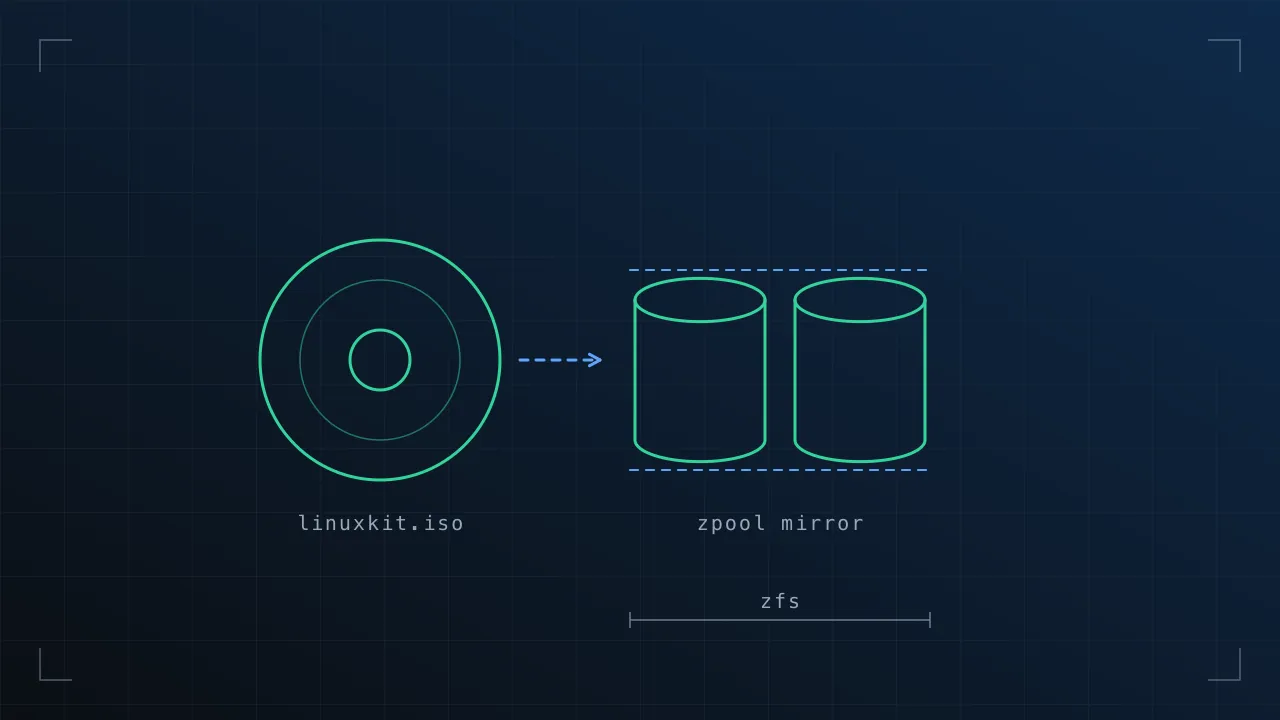
After raising an issue with compiling ZFS; the awesome LinuxKit community have designed this into their kernel build process.
Here’s a howto on building a simple (SSH) LinuxKit ISO, which has the ZFS drivers loaded.
Before we start, if you’re not familiar with LinuxKit or why you’d want to build a LinuxKit OS image, this article may not be for you; but for those interested in the what, why and how, the docs give a really good overview:
LinuxKit Architecture Overview.
Configuration Reference.
Step 0. Lets start at the very beginning.
To kick us off, we’ll take an existing LinuxKit configuration, below. This will create us a system with SSH via public key auth, and also running an insecure root shell on the local terminal.
kernel:
  image: "linuxkit/kernel:4.12.12"
  cmdline: "console=tty0 page_poison=1"
init:
  - linuxkit/init:79973d34faf7d4654462f3408c5eb00befaf03b8
  - linuxkit/runc:a1b564248a0d0b118c11e61db9f84ecf41dd2d2a
  - linuxkit/containerd:06876ceef325e49e9ba119659357768d5df89075
  - linuxkit/ca-certificates:e44b0a66df5a102c0e220f0066b0d904710dcb10
onboot:
  - name: sysctl
    image: "linuxkit/sysctl:154913b72c6f1f33eb408609fca9963628e8c051"
    net: host
    pid: host
    ipc: host
    capabilities:
     - CAP_SYS_ADMIN
services:
  - name: getty
    image: linuxkit/getty:797cb79e0a229fcd16ebf44a0da74bcec03968ec
    env:
    - INSECURE=true
  - name: rngd
    image: "linuxkit/rngd:558e86a36242bb74353bc9287b715ddb8567357e"
    capabilities:
     - CAP_SYS_ADMIN
    oomScoreAdj: -800
  - name: dhcpcd
    image: "linuxkit/dhcpcd:f3f5413abb78fae9020e35bd4788fa93df4530b7"
    binds:
     - /var:/var
     - /tmp:/etc
    capabilities:
     - CAP_NET_ADMIN
     - CAP_NET_BIND_SERVICE
     - CAP_NET_RAW
    net: host
    oomScoreAdj: -800
  - name: sshd
    image: "linuxkit/sshd:e108d208adf692c8a0954f602743e0eec445364e"
    capabilities:
     - all
    net: host
    pid: host
    binds:
     - /root/.ssh:/root/.ssh
     - /etc/resolv.conf:/etc/resolv.conf
trust:
  image:
    - linuxkit/kernel
files:
  - path: root/.ssh/authorized_keys
    contents: "ssh-rsa <YOUR PUBLIC KEY HERE>"
We would then build this into an ISO with the moby command:
moby build -format iso-bios simplessh.yml
Moby goes and packages up our containers, init’s and kernel and gives us a bootable ISO. Awesome.
$ moby build -format iso-bios simplessh.yaml
Extract kernel image: linuxkit/kernel:4.12.12
Add init containers:
Process init image: linuxkit/init:79973d34faf7d4654462f3408c5eb00befaf03b8
Process init image: linuxkit/runc:a1b564248a0d0b118c11e61db9f84ecf41dd2d2a
Process init image: linuxkit/containerd:06876ceef325e49e9ba119659357768d5df89075
Process init image: linuxkit/ca-certificates:e44b0a66df5a102c0e220f0066b0d904710dcb10
Add onboot containers:
  Create OCI config for linuxkit/sysctl:154913b72c6f1f33eb408609fca9963628e8c051
Add service containers:
  Create OCI config for linuxkit/getty:797cb79e0a229fcd16ebf44a0da74bcec03968ec
  Create OCI config for linuxkit/rngd:558e86a36242bb74353bc9287b715ddb8567357e
  Create OCI config for linuxkit/dhcpcd:f3f5413abb78fae9020e35bd4788fa93df4530b7
  Create OCI config for linuxkit/sshd:e108d208adf692c8a0954f602743e0eec445364e
Add files:
  root/.ssh/authorized_keys
Create outputs:
  simplessh.iso
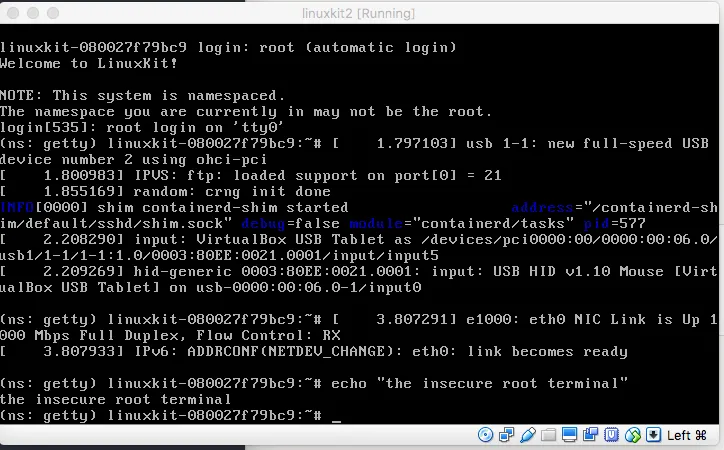
I booted the ISO in virtualbox (there is a nicer way of testing images with Docker’s Hyperkit using the linuxkit CLI, but Virtualbox is closer to my use case)
Step 1. The ZFS Kernel Modules
The ZFS kernel modules aren’t going to get shipped in the default LinuxKit kernel images (such as the one we’re using above). Instead, they can be compiled and added to your build as a separate image.
Here is one I built earlier, notice the extra container entry under theinit: section, coming from my docker hub repo (trxuk). You’ll see i’m also using a kernel that was built at the same time, so i’m 100% sure they are compatible.
kernel:
  image: "trxuk/kernel:4.12.12-b22dfb3a80aabb6caa5198e0737dd31ead4b6119"
  cmdline: "console=tty0 page_poison=1"
init:
  - trxuk/zfs-kmod:4.12.12-b22dfb3a80aabb6caa5198e0737dd31ead4b6119-dirty-amd64
  - linuxkit/init:79973d34faf7d4654462f3408c5eb00befaf03b8
  - linuxkit/runc:a1b564248a0d0b118c11e61db9f84ecf41dd2d2a
  - linuxkit/containerd:06876ceef325e49e9ba119659357768d5df89075
  - linuxkit/ca-certificates:e44b0a66df5a102c0e220f0066b0d904710dcb10
onboot:
  - name: sysctl
    image: "linuxkit/sysctl:154913b72c6f1f33eb408609fca9963628e8c051"
    net: host
    pid: host
    ipc: host
    capabilities:
     - CAP_SYS_ADMIN
  - name: modprobe
    image: "trxuk/modprobe:17f7368e60058c0d6b266cdf28176fc757b5b8ce"
    command: ["modprobe", "-a", "zfs"]
services:
  - name: getty
    image: linuxkit/getty:797cb79e0a229fcd16ebf44a0da74bcec03968ec
    env:
    - INSECURE=true
  - name: rngd
    image: "linuxkit/rngd:558e86a36242bb74353bc9287b715ddb8567357e"
    capabilities:
     - CAP_SYS_ADMIN
    oomScoreAdj: -800
  - name: dhcpcd
    image: "linuxkit/dhcpcd:f3f5413abb78fae9020e35bd4788fa93df4530b7"
    binds:
     - /var:/var
     - /tmp:/etc
    capabilities:
     - CAP_NET_ADMIN
     - CAP_NET_BIND_SERVICE
     - CAP_NET_RAW
    net: host
    oomScoreAdj: -800


- name: sshd
   image: "trxuk/sshd:3deede1fadd4c1aa4a54b2bd909b8f4e47edc5ee"
    capabilities:
    - all
    net: host
    pid: host
    binds:
    - /root/.ssh:/root/.ssh
    - /etc/resolv.conf:/etc/resolv.conf


[REST OF CONFIG REMOVED FOR EASIER READING]
We have also added a “modprobe” onboot: service, this just runs modprobezfs to load the zfs module and it’s dependencies (SPL, etc etc) on boot.
The metadata in the modprobe image automatically map/lib/modules and /sys into the modprobe container, so it can access the modules it needs to modprobe.
For those interested, you can see that metadata here in the package build: https://github.com/eyz/linuxkit/blob/be1172294ac66144bedaaaa98270ea0a5c95d140/pkg/modprobe/Dockerfile#L17
Also, it’s worth highlighting that this module is still a PR for linuxkit, hence the image is also coming from my own dockerhub repo at the moment: https://github.com/linuxkit/linuxkit/pull/2506
1.1 Using my images
As my docker hub repo’s are public, you could go ahead and use the configuration i’ve provided above, to use my builds of the kernel, zfs modules and modprobe package. You end up booting into a system that looks like this:
(ns: sshd) linuxkit-08002730326f:/# lsmod
Module                  Size  Used by    Tainted: P
zfs                  2445312  0
zcommon                36864  1 zfs
znvpair                53248  2 zfs,zcommon
spl                    69632  3 zfs,zcommon,znvpair
zunicode              327680  1 zfs
zavl                   16384  1 zfs
ohci_pci               16384  0
ohci_hcd               32768  1 ohci_pci
e1000                  98304  0
tpm_tis                16384  0
tpm_tis_core           20480  1 tpm_tis
tpm                    45056  2 tpm_tis,tpm_tis_core
(ns: sshd) linuxkit-08002730326f:/# zpool status
no pools available
Huzzah! Success!
The observant amongst you may have noticed that the SSH image is also now coming from my trxuk/sshd docker hub repo; this is because i’ve edited it to have the zfs userspace tools (zpool, zfs) built in, instead of having to run the following on each boot:
apk update
apk add libtirpc
apk add zfs
1.2 Building your own ZFS image
I built the images above using work recently committed into the linuxkit repo by Rolf Neugebauer, thanks to him, if you wanted to build your own, you now easily can;
git clone <https://github.com/linuxkit/linuxkit.git>
cd linuxkit/kernel
make ORG=YOUR_DOCKERHUB_USER NOTRUST=1 push_zfs_4.12.x
Once those commands have finished, a new dockerhub repo, containing the zfs-kmod image matching the kernel version you specified. Include this as above in your init: section.
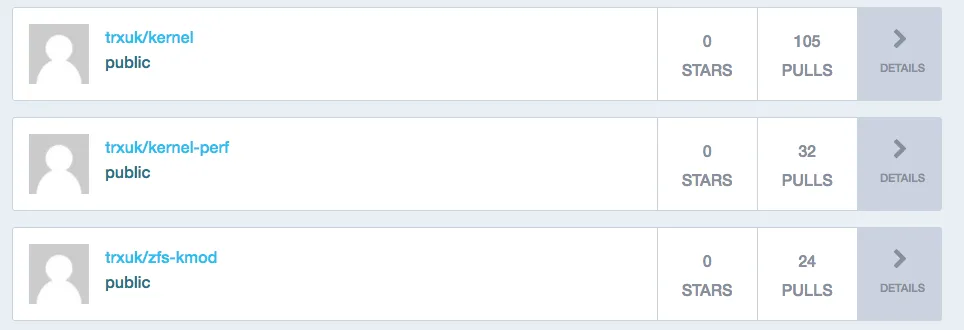
There was an issue preventing the zfs-kmod image from working with modprobe; The PR to resolve this, has now been merged! if you’re building your own module as above, you’ll want to ensure you’ve checked out the latest master; https://github.com/linuxkit/linuxkit/pull/2514
I hope this helps; I’ve only just got to this stage myself (very much by standing on others shoulders!) so watch out for deeper ZFS and LinuxKit articles coming soon!
Originally published on Medium on 20 September 2017, and cross-posted to the old blog.matt-j.co.uk.