Single Node K3OS Rook Ceph HowTo
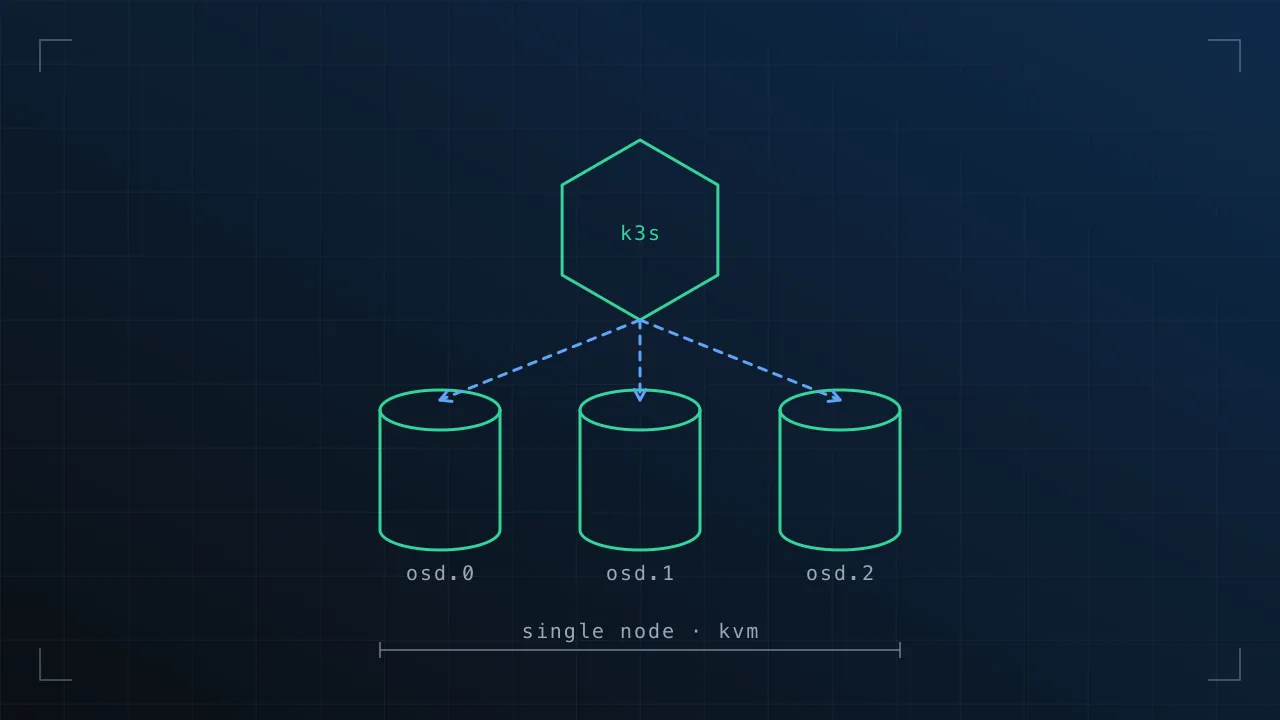
Recently been playing with installing and automating a single-node setup of K3OS for quick, kubernetes testing environments in KVM.
There wasn’t much information on getting this process all the way to app deployment with persistent storage, so here are my notes.
The K3OS Configuration File
K3OS is configured by a single yaml file, this can be pulled from various cloudinit supported sources on boot, referenced by url or local path on disk at install time (if using the hands-on cli installer from the live cd image), or dumped on the disk after installation at /var/lib/rancher/k3os/config.yaml
The config allows pre-runtime configuration as well as changing the parameters passed to the K3S components themselves.
We need to do a couple of things here:
- Rook uses a K8S volume plugin to integrate rook-ceph. This needs to be loaded by the kubelet. The default location rook expects to put this on the host filesystem is read only in K3OS (and a few other “just enough OS” style distros). So we need to configure the kubelet to check in a different location (we’ll also configure rook later to also use this new location to make everything work properly).
- I want to use a LVM logival volume (lv) passed through from my KVM host as the persistent volume location for rook-ceph to consume, so we need to have k3os always mount our second disk/partition in a known location so that our rook-ceph configuration can use it.
My config.yaml for k3os is below:
ssh_authorized_keys:
- github:matjohn2
write_files:
- content: |-
    /dev/cdrom    /media/cdrom  iso9660 noauto,ro 0 0
    /dev/usbdisk  /media/usb    vfat    noauto,ro 0 0
    /dev/vdb      /persist      ext4    auto      0 0
  owner: root
  path: /etc/fstab
  permissions: '0644'
boot_cmd:boot_cmd:
- "mkdir /persist || echo persist dir exists"
k3os:
  k3s_args:
  - server
  - "--kubelet-arg volume-plugin-dir=/etc/kubernetes/kubelet-plugins/volume/exec"
The full set of supported config options is here: https://github.com/rancher/k3os#configuration-reference
Notice we also pull my SSH public key from github automatically.
Boot the KVM VM
Here’s my configuration for a KVM VM, single virtual disk for the OS install:
Has a separate disk LVM lv passed through as discussed before, 6 cores of I7, 16GB RAM, direct bridged network onto my LAN (where the VM gets DHCP).
sudo lvcreate -L 500G -nk3os-ceph-lv raid_vg
Logical volume "k3os-ceph-lv" created.


virsh define --file k3os-vm.xml
Domain K3OS defined from k3os-vm.xml


virsh start K3OS
You’re meant to be able to pass configuration to the livecd to do an automatic install, however there seems to be a bug where formatting the target device will always ask for input y/N, so i’m currently just consoled into the VM, doing a manual install, with the commands below, so you can configure/start your VM however you want, with whatever hypervisor etc, or use bare metal booting from the K3OS live ISO (x64) at: https://github.com/rancher/k3os/releases/download/v0.2.0/k3os-amd64.iso
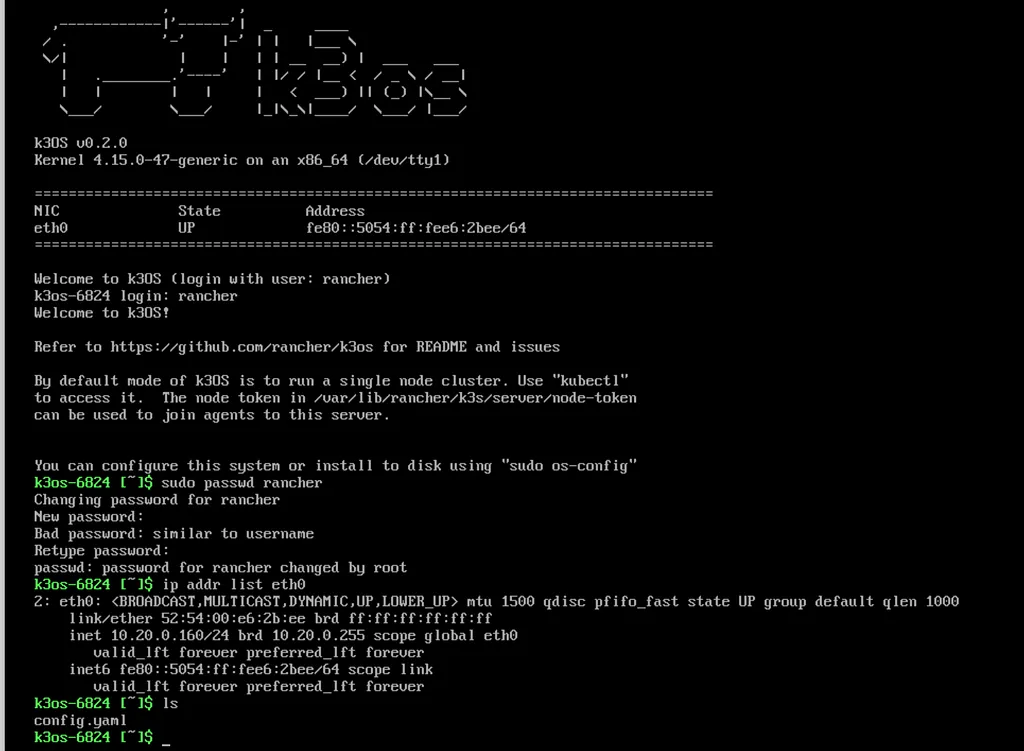 log in with “rancher”, no password. set password allowing me to dump config.yaml onto the host with SCP.
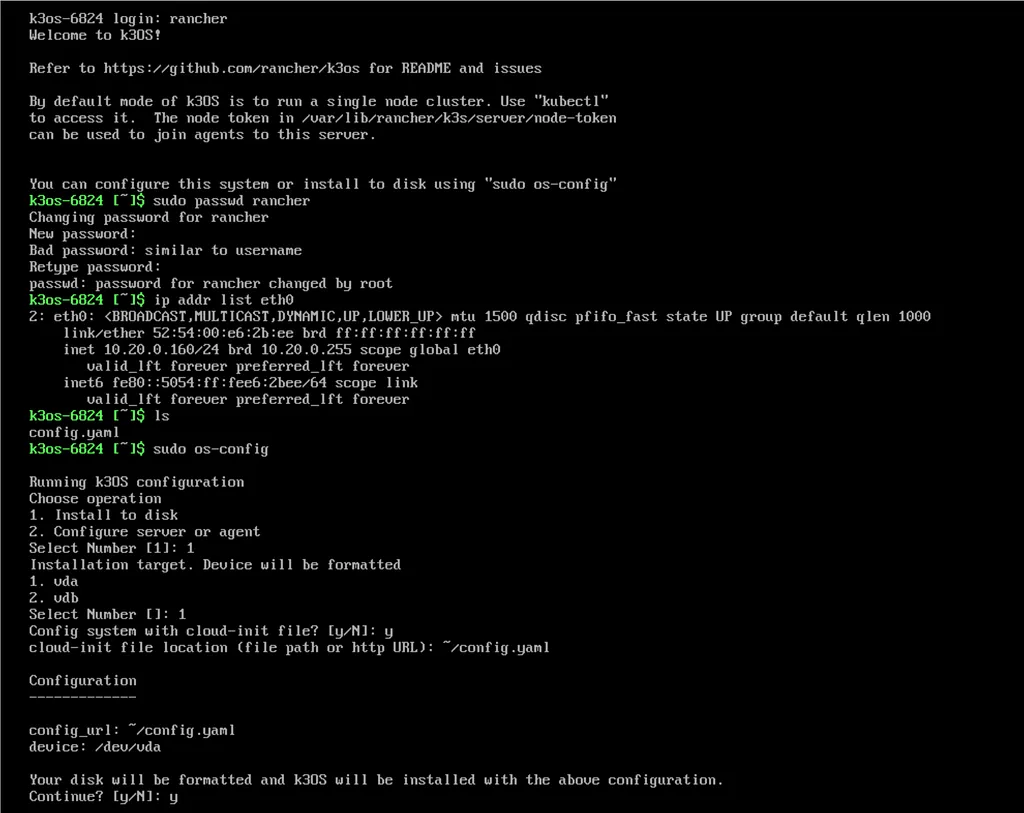 Install to disk, pick config file, done, system then reboots.
Checkpoint, do we have a K3S cluster?
SSH into your new install when it’s booted, kubectl get nodes should work. If not, and you get “connection refused” from kubectl, check out this conversation due to my local DHCP/DNS config: https://github.com/rancher/k3os/issues/47
k3os-14936 [~]$ kubectl get nodes
NAME         STATUS   ROLES    AGE     VERSION
k3os-14936   Ready    <none>   7m48s   v1.14.1-k3s.4
The good stuff, rook-ceph and app deployment.
Right, credit to all of this goes to the excellent rook-ceph getting started document: https://github.com/rook/rook/blob/master/Documentation/ceph-quickstart.md#deploy-the-rook-operator
I’m not going to re-produce it, refer to the doc for why i’m running these commands and i’ll highlight where we need to deviate from the doc!
Download the kubeconfig file from the new K3OS host, edit it to point to the IP of your K3OS host (not localhost:6443), we’ll be doing everything from our own system using this kubeconfig and kubectl
$ scp rancher@10.20.0.160:/etc/rancher/k3s/k3s.yaml kubeconfig-k3os.yaml


$ sed -i 's/localhost/10.20.0.160/g' kubeconfig-k3os.yaml


$ export KUBECONFIG=./kubeconfig-k3os.yaml


$ kubectl get ns
NAME              STATUS   AGE
default           Active   23m
kube-node-lease   Active   23m
kube-public       Active   23m
kube-system       Active   23m
Clone the rook repo so we can use all the samples, referred to in the doc I linked above.
$ git clone <https://github.com/rook/rook.git>
Cloning into 'rook'...
remote: Enumerating objects: 7, done.
remote: Counting objects: 100% (7/7), done.
remote: Compressing objects: 100% (7/7), done.
remote: Total 30758 (delta 0), reused 1 (delta 0), pack-reused 30751
Receiving objects: 100% (30758/30758), 11.35 MiB | 13.34 MiB/s, done.
Resolving deltas: 100% (20311/20311), done.
$ cd rook/cluster/examples/kubernetes/ceph
Deploy the common.yaml resources as-is, no changes necessary.
$ kubectl create -f common.yaml


namespace/rook-ceph created
customresourcedefinition.apiextensions.k8s.io/cephclusters.ceph.rook.io created
customresourcedefinition.apiextensions.k8s.io/cephfilesystems.ceph.rook.io created
customresourcedefinition.apiextensions.k8s.io/cephnfses.ceph.rook.io created
customresourcedefinition.apiextensions.k8s.io/cephobjectstores.ceph.rook.io created
customresourcedefinition.apiextensions.k8s.io/cephobjectstoreusers.ceph.rook.io created
customresourcedefinition.apiextensions.k8s.io/cephblockpools.ceph.rook.io created
customresourcedefinition.apiextensions.k8s.io/volumes.rook.io created
clusterrole.rbac.authorization.k8s.io/rook-ceph-cluster-mgmt created
clusterrole.rbac.authorization.k8s.io/rook-ceph-cluster-mgmt-rules created
role.rbac.authorization.k8s.io/rook-ceph-system created
clusterrole.rbac.authorization.k8s.io/rook-ceph-global created
clusterrole.rbac.authorization.k8s.io/rook-ceph-global-rules created
clusterrole.rbac.authorization.k8s.io/rook-ceph-mgr-cluster created
clusterrole.rbac.authorization.k8s.io/rook-ceph-mgr-cluster-rules created
serviceaccount/rook-ceph-system created
rolebinding.rbac.authorization.k8s.io/rook-ceph-system created
clusterrolebinding.rbac.authorization.k8s.io/rook-ceph-global created
serviceaccount/rook-ceph-osd created
serviceaccount/rook-ceph-mgr created
serviceaccount/rook-ceph-cmd-reporter created
role.rbac.authorization.k8s.io/rook-ceph-osd created
clusterrole.rbac.authorization.k8s.io/rook-ceph-mgr-system created
clusterrole.rbac.authorization.k8s.io/rook-ceph-mgr-system-rules created
role.rbac.authorization.k8s.io/rook-ceph-mgr created
role.rbac.authorization.k8s.io/rook-ceph-cmd-reporter created
rolebinding.rbac.authorization.k8s.io/rook-ceph-cluster-mgmt created
rolebinding.rbac.authorization.k8s.io/rook-ceph-osd created
rolebinding.rbac.authorization.k8s.io/rook-ceph-mgr created
rolebinding.rbac.authorization.k8s.io/rook-ceph-mgr-system created
clusterrolebinding.rbac.authorization.k8s.io/rook-ceph-mgr-cluster created
rolebinding.rbac.authorization.k8s.io/rook-ceph-cmd-reporter created
podsecuritypolicy.policy/rook-privileged created
clusterrole.rbac.authorization.k8s.io/psp:rook created
clusterrolebinding.rbac.authorization.k8s.io/rook-ceph-system-psp created
rolebinding.rbac.authorization.k8s.io/rook-ceph-default-psp created
rolebinding.rbac.authorization.k8s.io/rook-ceph-osd-psp created
rolebinding.rbac.authorization.k8s.io/rook-ceph-mgr-psp created
rolebinding.rbac.authorization.k8s.io/rook-ceph-cmd-reporter-psp created
Uncomment an environment variable in operator.yaml to tell rook about the kubelet storage plugin path we enabled in the K3OS config.yaml
# Not getting into editor wars, heres the diff ;)


operator.yaml
77,78c77,78
<         # - name: FLEXVOLUME_DIR_PATH
<         #   value: "<PathToFlexVolumes>"
---
>         - name: FLEXVOLUME_DIR_PATH
>           value: "/etc/kubernetes/kubelet-plugins/volume/exec"


# Install the Operator


$ kubectl apply -f operator.yaml
deployment.apps/rook-ceph-operator created


$ kubectl get po -n rook-ceph
NAME                                  READY   STATUS    RESTARTS   AGE
rook-ceph-operator-649467b9f6-x9shx   1/1     Running   0          30s
rook-discover-8hqxx                   1/1     Running   0          9s
Add a storage cluster (Currently we just have something to respond to our kubernetes CRD, which allows the kubernetes API to understand what a cephcluster is). This will give us the mon, ord, and other actual CEPH components that we need to manage storage. This is where our other K3OS config.yaml component comes in, the mount of /persist if you’re doing something different here, configure to suit..
apiVersion: ceph.rook.io/v1
kind: CephCluster
metadata:
  name: rook-ceph
  namespace: rook-ceph
spec:
  cephVersion:
    # For the latest ceph images, see <https://hub.docker.com/r/ceph/ceph/tags>
    image: ceph/ceph:v14.2.1-20190430
  dataDirHostPath: /persist
  mon:
    count: 3
    allowMultiplePerNode: true
  dashboard:
    enabled: true
  storage:
    useAllNodes: true
    useAllDevices: false
    # Important: Directories should only be used in pre-production environments
    directories:
    - path: /persist
Modify the cluster-minimal.yaml file to look something like the above, the important parts are dataDirHostPath: matching wherever you want persistant data stored in your K3OS node, and mon: allowMultiplePerNode: true Without which your cluster creation will fail pretty much silently unless you’re pulling logs.
I tried count: 1 for my single node cluster instead of allowMultiplePerNode: true without success, need to read into if this is sensible, or a mistake on my part, but my LV at /persist is backed off to an MDRaid anyway, so im happy with this lack of potential resilience… if you’re not, stop. This isnt a production guide at all!!
Apply the edited cluster-minimal.yaml config:
$ kubectl apply -f cluster-minimal.yaml


$ kubectl get cephcluster -n rook-ceph
NAME        DATADIRHOSTPATH   MONCOUNT   AGE   STATE   HEALTH
rook-ceph   /persist          3          13s


$ kubectl get po -nrook-ceph
NAME                                  READY   STATUS     RESTARTS   AGE
rook-ceph-agent-rtp7t                 1/1     Running    0          39s
rook-ceph-mon-a-5c69c56f75-7xmh4      1/1     Running    0          11s
rook-ceph-mon-b-5c7d65cb78-pr9vr      0/1     Init:0/2   0          2s
rook-ceph-operator-649467b9f6-x9shx   1/1     Running    0          28m
rook-discover-8hqxx                   1/1     Running    0          27m


# Give it a few mins...


$ kubectl get cephcluster -nrook-ceph
NAME        DATADIRHOSTPATH   MONCOUNT   AGE     STATE     HEALTH
rook-ceph   /persist          3          3m27s   Created   HEALTH_OK
Finally… We need a link between the rook-ceph cluster we’ve created and the Kubernetes block storage plugin/system.
This example comes from https://github.com/rook/rook/blob/master/Documentation/ceph-block.md
Edits needed here are spec: replicated: size: 1 (again, to my understanding) this is the minimum number of hosts that can be written across, because failureDomain: is set to host so i’ve set to 1 instead of 3. For a more stable env you’d want this at 3 and have three actual rook-ceph nodes in your cluster.
If you’ve gone off-piste, check your clusterNamespace is correct here!
apiVersion: ceph.rook.io/v1
kind: CephBlockPool
metadata:
  name: testpool
  namespace: rook-ceph
spec:
  failureDomain: host
  replicated:
    size: 1
---
apiVersion: storage.k8s.io/v1
kind: StorageClass
metadata:
   name: rook-ceph-block
provisioner: ceph.rook.io/block
parameters:
  blockPool: testpool
  # The value of "clusterNamespace" MUST be the same as the one in which your rook cluster exist
  clusterNamespace: rook-ceph
  # Specify the filesystem type of the volume. If not specified, it will use `ext4`.
  fstype: ext4
# Optional, default reclaimPolicy is "Delete". Other options are: "Retain", "Recycle" as documented in <https://kubernetes.io/docs/concepts/storage/storage-classes/>
reclaimPolicy: Delete
Apply the config!
kubectl create -f storageclass.yaml


$ kubectl get storageclass
NAME              PROVISIONER          AGE
rook-ceph-block   ceph.rook.io/block   5m42s
Thats it! you’ve got rook-ceph persistant storage on your single node cluster… Until the next disk crash or bitflip… constant reminder: This isnt production, it’s single host
Testing: Adding wordpress then destroying it’s SQL pod.
The rook repo comes with a sample wordpress deployment utilizing persistent storage, lets give it a try.
$ pwd
/home/matt/rook/cluster/examples/kubernetes/ceph


$ cd ..


$ kubectl create -f mysql.yaml
service/wordpress-mysql created
persistentvolumeclaim/mysql-pv-claim created
deployment.apps/wordpress-mysql created


$ kubectl create -f wordpress.yaml
service/wordpress created
persistentvolumeclaim/wp-pv-claim created
deployment.apps/wordpress created


$ kubectl get pvc
NAME             STATUS   VOLUME                                     CAPACITY   ACCESS MODES   STORAGECLASS      AGE
mysql-pv-claim   Bound    pvc-ff4fcd9b-b3e5-11e9-a354-525400e62bee   20Gi       RWO            rook-ceph-block   37s
wp-pv-claim      Bound    pvc-0269cfc2-b3e6-11e9-a354-525400e62bee   20Gi       RWO            rook-ceph-block   32s


$ kubectl get svc
NAME              TYPE           CLUSTER-IP     EXTERNAL-IP   PORT(S)        AGE
wordpress         LoadBalancer   10.43.180.59   <pending>     80:31975/TCP   61s
wordpress-mysql   ClusterIP      None           <none>        3306/TCP       66s
Browsing to the K3OS IP address (remember im bridged directly to my LAN from the VM, your scenario may differ) i can hit http://10.20.0.160:31975 the port coming from the svc definition above.
Fill out the wordpress setup, get to the dashboard, maybe add a post so you know you have content in the DB…
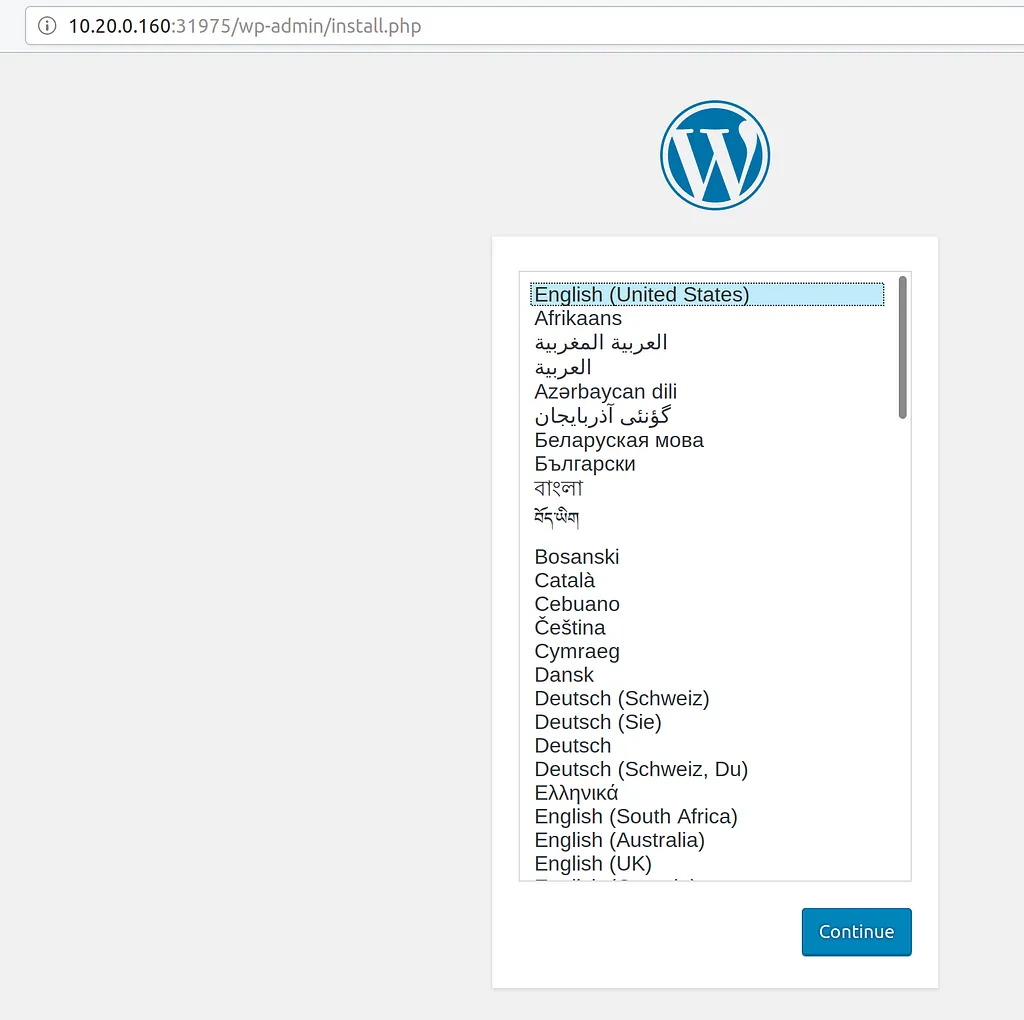 Go through the setup till you’re at the wordpress dashboard. Maybe add a post?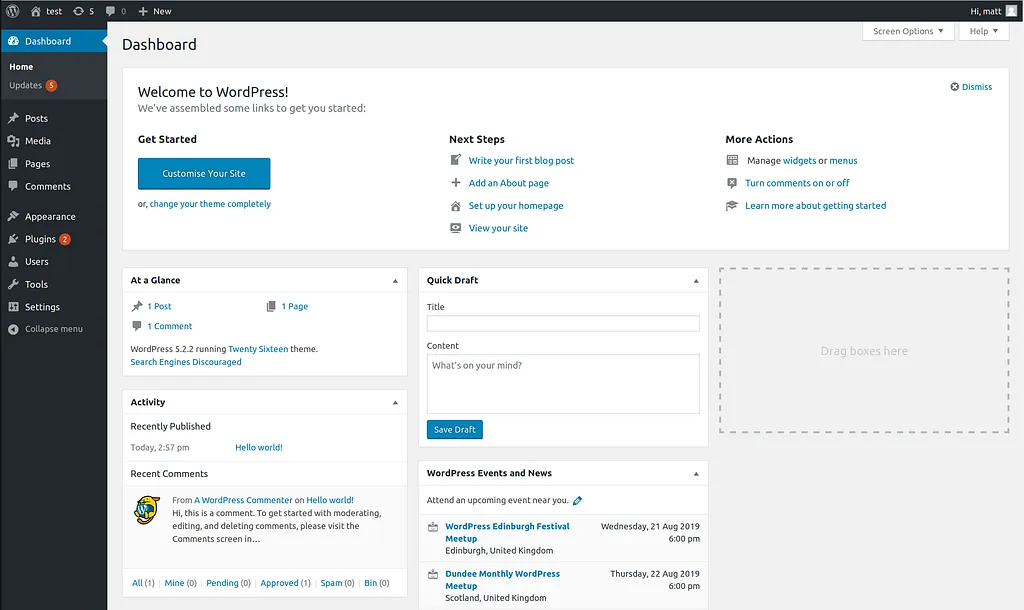
Now… We have a configured Wordpress. Backed by an SQL pod, which is backed by our rook-ceph storage.
$ kubectl get po
NAME                              READY   STATUS    RESTARTS   AGE
svclb-wordpress-v74fc             0/1     Pending   0          8m14s
wordpress-595685cc49-4pdkq        1/1     Running   0          8m14s
wordpress-mysql-b78774f44-zc4lk   1/1     Running   0          8m19s


$ kubectl get pvc
NAME             STATUS   VOLUME                                     CAPACITY   ACCESS MODES   STORAGECLASS      AGE
mysql-pv-claim   Bound    pvc-ff4fcd9b-b3e5-11e9-a354-525400e62bee   20Gi       RWO            rook-ceph-block   8m22s
wp-pv-claim      Bound    pvc-0269cfc2-b3e6-11e9-a354-525400e62bee   20Gi       RWO            rook-ceph-block   8m17s
Storage persistance means, we can destroy our SQL pod and expect the same backing-data to be avaible to the next one that replaces it…
Your pod name for wordpress-sql will differ.
$ kubectl delete pod wordpress-mysql-b78774f44-zc4lk
pod "wordpress-mysql-b78774f44-zc4lk" deleted


# This may take a while because we're killing the pod "Nicely".


$ kubectl get po
NAME                              READY   STATUS              RESTARTS   AGE
svclb-wordpress-v74fc             0/1     Pending             0          10m
wordpress-595685cc49-4pdkq        1/1     Running             0          10m
wordpress-mysql-b78774f44-wrbfl   0/1     ContainerCreating   0          30s
wordpress-mysql-b78774f44-zc4lk   0/1     Terminating         0          10m


$ kubectl get po
NAME                              READY   STATUS    RESTARTS   AGE
svclb-wordpress-v74fc             0/1     Pending   0          12m
wordpress-595685cc49-4pdkq        1/1     Running   0          12m
wordpress-mysql-b78774f44-wrbfl   1/1     Running   0          106s
Check your wordpress UI in your browser, not at the setup screen again or seeing an error screen? Congrats, you’ve got persistance!
Thanks for reading!
Let me know if this is helpful or ask questions, i’m on twitter @mattdashj
Originally published on Medium on 31 July 2019.