Automating AWS Cloud9 Environments
I’ve recently been building out a hands on Kubernetes security workshop. One of the primary objectives was to automate as much of the setup as possible, getting attendees to the hands-on learning, seeing the value of our OSS tools and platforms as soon as possible and, more importantly, free up more time for discovery, questions and conversations.
The workshop is designed to run in AWS, thanks to the wonderful AWS partnership team always coming through with event engine, (throwaway AWS accounts) for each of our attendees.
Therefore, it makes sense to use Cloud9, AWS’ web-based IDE, why?… Read on!
The problem with remote workshops
Or any workshop, for that matter, if you don’t get a grip on your technical dependancies, for every. possible. attendee. environment.
You’ll end up with one of these two awful user experiences (and probably both):
- A very long, complex workshop doc full of “if, else” style written logic covering every permutation of attendee operating system, dependancies, versions.
- A great way to lose a large percentage of your attendees in the first few minutes as the barrier to entry for their setup is too great.
We’re hosting a cloud workshop, about cloud topics, there should be no local requirements.
Cloud9 allows us to guarantee a consistent, pre-configured environment for each attendee, without needing to care about their local environment, we’ve had attendees run the whole workshop on an iPad as all file editing, terminal input and linux-based tools, are accessed via the Cloud9 web interface.
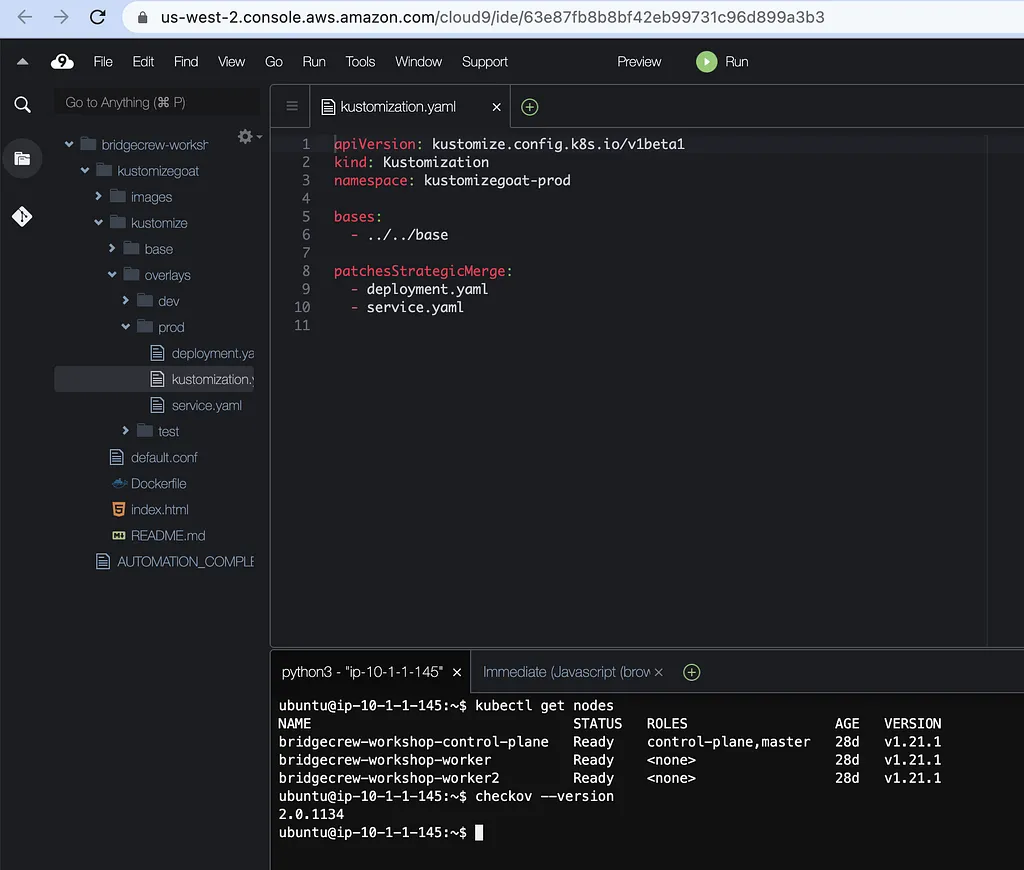 Cloud9 SSH Environment with checkov and kubectl CLI’s pre-installed.
Automating Cloud9 Setup
There are two ways to setup Cloud9, the first is “direct access”, where AWS spins up an EC2 instance for the Cloud9 environment. The second is “Remote Host”, where Cloud9 will consume any compatible existing host via SSH.
Downsides of “direct access”
The issue with the the AWS provided EC2 instance, is there are zero configuration options for pre-installation of tools, files or dependancies. Which is fine for a developer wanting to set up their environment once, but for our short-lived, per-attendee environment, it means we’d still need a user to follow lots of setup instructions, installing tools and running commands, leaving plenty of room for error and taking up time on boring tasks.
Downsides of “Remote Host”
On the face of it, the “remote host” option is perfect!
Automate your own EC2 instance however you want (in our case, we’re using CloudFormation and then some cloud-init scripts pulled from GitHub) then expose it’s filesystem and terminal via a Cloud9 interface, zero manual setup needed.
Until you realise it’s a “AWS Console” only option, with no support in the AWS cli, boto3, or even the API itself to automate the setup of “Remote Host” SadFace.
This annoyed the crap out of me, as the whole point of AWS services is to be API-driven. Annoyed to the point I broke out Chrome developer tools, ProxyMan, and started to look at how the AWS console was able to do things that the API could not.
Undocumented Cloud9 API’s
After some trial and error (who knew people reject requests when the RPC service name isn’t embedded in a specific format in the user-agent header string….) I had a working python script that could make use of the undocumented “Remote Host” part of the Cloud9 service.
This script does the following:
- Requests the Cloud9 “Remote Host” SSH public key. This needs embedding into the host, so that Cloud9 can connect remotely.
- Requests a new Cloud9 “Remote Host” IDE, providing the IP address and port for the host you wish to use.
- Shares the newly created environment (using the returned environment UUID, theres no AWS ARN for these objects oddly enough) with a user ARN of your choice. This allows it to show up in “Environments shared with me” within the Cloud9 interface, rather than just being accessible to the principal that ran the script itself.
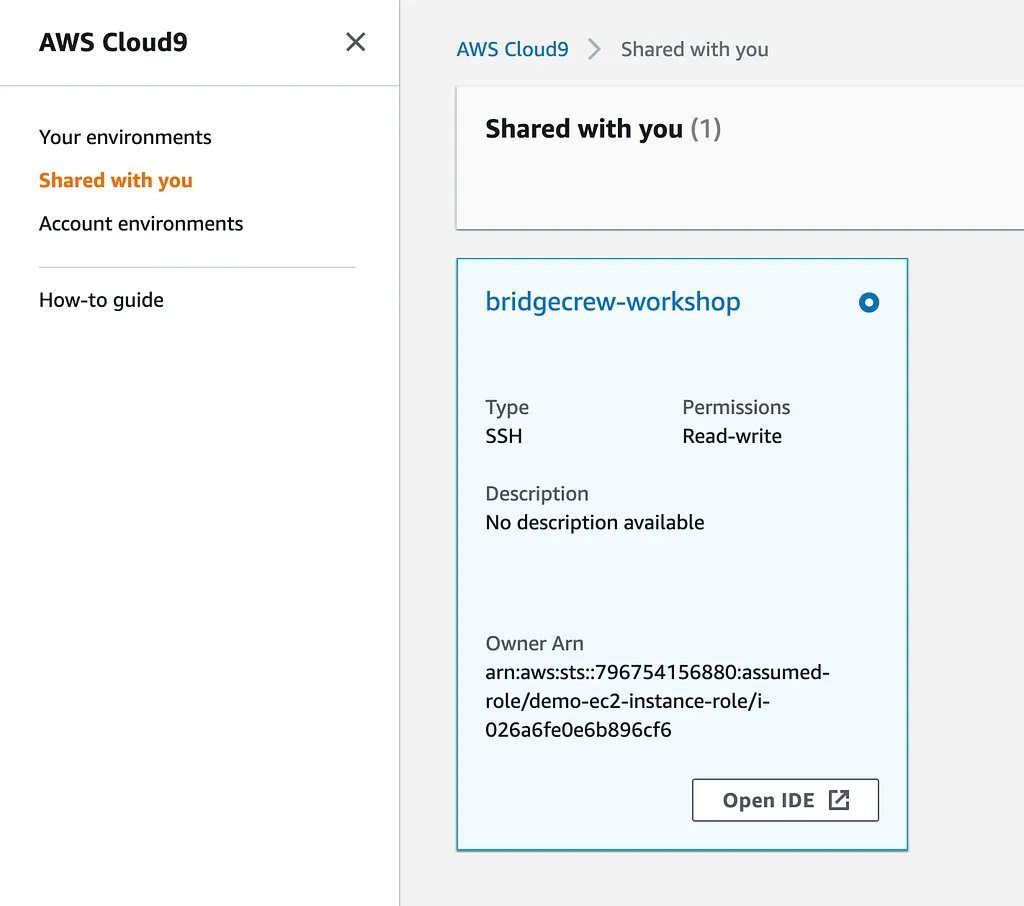
It works super well, to the point we’re using it to power the automation for our Kubernetes workshop
TL;DR AWS Cloud9 SSH automation script
The script is designed to be run on the EC2 host you wish to export as a Cloud9 IDE environment. By default it will try and get credentials from the AWS IAM metadata service to authenticate calls to Cloud9, as we have an IAM role bound to the instance with the following permissions:
Resources:
  WorkshopEC2InstanceRole:
    Type: AWS::IAM::Role
    Properties:
      RoleName: demo-ec2-instance-role
      AssumeRolePolicyDocument:
        Version: "2012-10-17"
        Statement:
          - Effect: Allow
            Principal:
              Service:
                - ec2.amazonaws.com
            Action:
              - 'sts:AssumeRole'
      Policies:
        - PolicyName: allow-cloud9-access
          PolicyDocument:
            Version: "2012-10-17"
            Statement:
              - Effect: Allow
                Action:
                  - "cloud9:CreateEnvironmentSSH"
                  - "cloud9:CreateEnvironmentToken"
                  - "cloud9:DescribeEnvironments"
                  - "cloud9:DescribeSSHRemote"
                  - "cloud9:GetUserPublicKey"
                  - "cloud9:ListEnvironments"
                  - "cloud9:ValidateEnvironmentName"
                  - "cloud9:CreateEnvironmentMembership"
                Resource: '*'
      Path: /
The script will fall back to the standard environment variables for AWS credentials.
We also retrieve the public IP of the EC2 instance from metadata and use this when setting up the Cloud9 configuration. Public reachability is a Cloud9 SSH dependency and the script will exit if not available.
Finally, we pass the script three parameters, an Org ID, a Role ID and an Assumed User ID. These form a user ARN to share the newly created environment with.
https://medium.com/media/cf4bdcba36bd9e01be96e228a4873c61/href
The latest version of the script is available here: https://github.com/metahertz/kubernetes-devsecops-workshop/blob/main/aws-bridgecrew-kubernetes/cloud9-ssh-create-env.py
Every other article i’ve seen regarding Cloud9 and SSH has manual steps, with comments asking how to automate the SSH/Remote Host Cloud9 setups, so hopefully this helps someone out!
Originally published on Medium on 9 June 2022.