Automatic DNS and SSL on Kubernetes with LetsEncrypt – Part 1
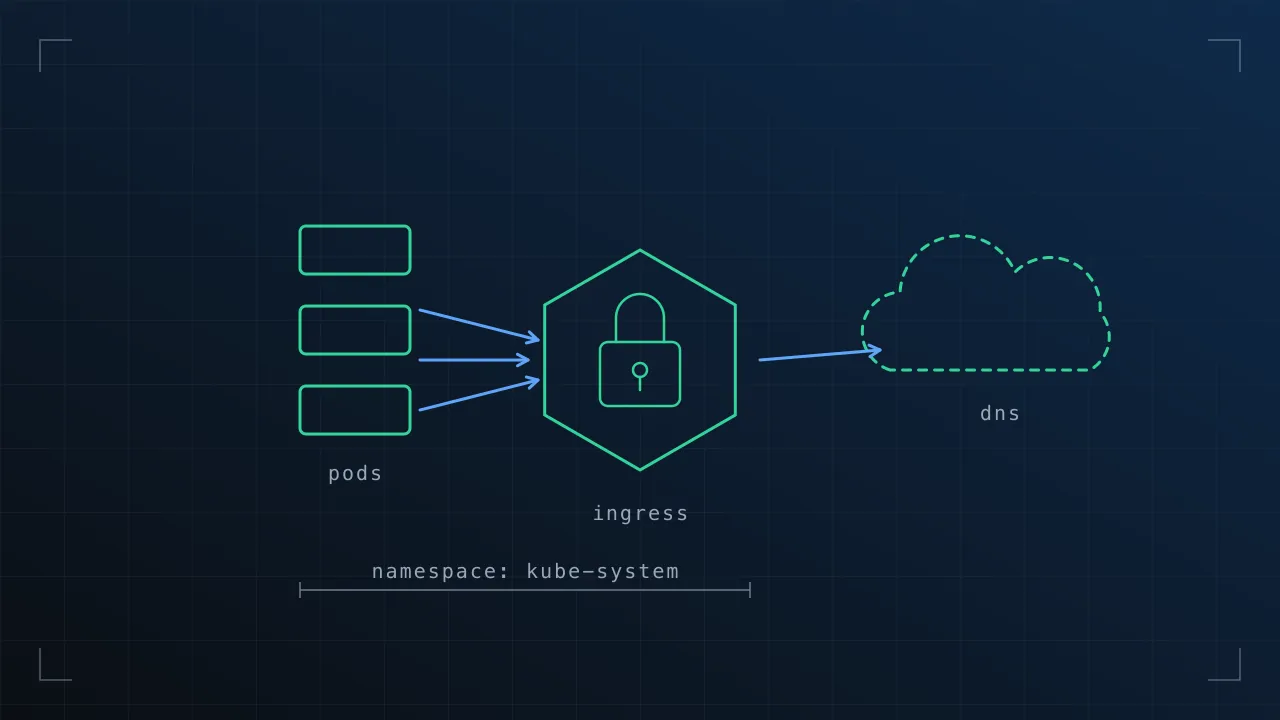
TL;DR Howto make your Kubernetes cluster super awesome by adding two pods which automatically handle public DNS registration and SSL certs for any deployment you choose! Reduces the complexity of deployments and reduces manual extra tasks.
Overview
Kubernetes Ingress controllers provide developers an API for creating HTTP/HTTPS (L7) proxies in front of your applications, something that historically we’ve done ourselves; Either inside our application pod’s with our apps, or more likley, as a separate set of pods infront of our application, strung together with Kubernetes Service’s (L4).
Without Ingress Controller

With Ingress Controller

Technically, there is still a Service in the background to track membership, but it’s not in the “path of traffic” as it is in the first diagram.
Whats more, Ingress controllers are pluggable, a single Kubernetes API to developers, but any L7 load balancer in reality, be it Nginx, GCE, Treifik, or Hardware… Excellent.
However, there are some things Ingress controllers DONT do for us, and that is what I want to tackle today…
- Registering our ingress loadbalancer in public DNS with a useful domain name.
- Automatically getting SSL/TLS certificates for our domain and configuring them on our Ingress load balancer.
With these two additions developers can deploy their application to K8’s, and automatically have it accessible and TLS secured.. Perfect!
DNS First
DNS is fairly simple, yet a google search for this topic makes it sound anything but. Lots of different suggestions, github issues, half-started projects.
All we want it something to listen for new Ingress Controllers, find the public IP given to the new Ingress loadbalancer and update DNS with the apps DNS name and loadbalancer IP.
After some research, code exists to do exactly what we want, it’s called ‘dns-controller’ and it’s now part of the ‘kops’ codebase from the cluster-ops SIG. It currently updates AWS Route53, but thats fine, as it’s what i’m using anyway.
https://github.com/kubernetes/kops/tree/master/dns-controller
However, the documentation is slim and unless you’re using KOPS, it’s not packaged in a useful way. Thankfully, someone has already extracted the dns-controller pieces and packaged them in a docker container for us.
The security guy in me points out: If you’re looking at anything more than testing, i’d strongly recommend packaging the DNS-Controller code yourself so you know 100% whats in it.
DNS - Here’s how to deploy (1/2)
Create the following deployment.yaml manifest
deployment.yaml for dns-controller
YAML
apiVersion: extensions/v1beta1
kind: Deployment
metadata:
  name: dns-controller
  namespace: kube-system
spec:
  replicas: 1
  template:
    metadata:
      labels:
        app: dns-controller
    spec:
      containers:
      - name: dns-controller
        image: kope/dns-controller:1.5.2
        imagePullPolicy: Always
        volumeMounts:
        - name: aws-credentials
          mountPath: /root/.aws/
          readOnly: true
      volumes:
      - name: aws-credentials
        secret:
          secretName: aws-creds-route53
apiVersion: extensions/v1beta1
kind: Deployment
metadata:
name: dns-controller
namespace: kube-system
spec:
replicas: 1
template:
metadata:
labels:
app: dns-controller
spec:
containers:
- name: dns-controller
image: kope/dns-controller:1.5.2
imagePullPolicy: Always
volumeMounts:
- name: aws-credentials
mountPath: /root/.aws/
readOnly: true
volumes:
- name: aws-credentials
secret:
secretName: aws-creds-route53---|---
This pulls down our pre-packaged dns-controller code and runs it on our cluster. By default i’ve placed this in the kube-system namespace.
The code needs to change AWS Route53 DNS entries duh, so it also needs AWS Credentials.
(I recommend using AWS IAM to create a user with ONLY the access to the Route53 zone you need this app to control. Don’t give it your developer keys, anyone in your K8’s cluster could potentially read them)
When we’ve got our credentials, create a secret with your AWS credentials file in it as follows..
kubectl —namespace=kube-system create secret generic aws-creds-route53 —from-file=/Users/
kubectl --namespace=kube-system create secret generic aws-creds-route53 --from-file=/Users/<YourUser>/.aws/credentials---|---
we’ve The path to your AWS credentials file will differ. If you don’t have a credentials file, it’s a simple format as shown below.
Example AWS credentials file
[default]
aws_access_key_id = ACCESS_KEY_HERE
aws_secret_access_key = SECRET_ACCESS_KEY_HERE
[default]
aws_access_key_id = ACCESS_KEY_HERE
aws_secret_access_key = SECRET_ACCESS_KEY_HERE---|---
Now deploy your dns-controller into K8’s with kubectl create -f deployment.yaml
You can query the applications logs to see it working, by default it will try to update any DNS domain it finds configured for an Ingress controller with a matching zone in Route53.
Example log output:
Example dns-controller log output
MATJOHN2 ~/examples/devnet/dns-controller $> kubectl —namespace=kube-system logs dns-controller-4105722014-7uaf0 | head -n 10 I0302 00:25:00.721502 6 podcontroller.go:101] pod watch channel closed W0302 00:25:00.721539 6 podcontroller.go:68] querying without label filter W0302 00:25:00.721542 6 podcontroller.go:70] querying without field filter W0302 00:25:00.736140 6 podcontroller.go:83] querying without label filter W0302 00:25:00.736161 6 podcontroller.go:85] querying without field filter I0302 00:29:52.718162 6 servicecontroller.go:102] service watch channel closed W0302 00:29:52.718224 6 servicecontroller.go:69] querying without label filter W0302 00:29:52.718232 6 servicecontroller.go:71] querying without field filter W0302 00:29:52.722579 6 servicecontroller.go:84] querying without label filter W0302 00:29:52.722592 6 servicecontroller.go:86] querying without field filter
MATJOHN2 ~/examples/devnet/dns-controller $> kubectl --namespace=kube-system logs dns-controller-4105722014-7uaf0 | head -n 10
I0302 00:25:00.721502       6 podcontroller.go:101] pod watch channel closed
W0302 00:25:00.721539       6 podcontroller.go:68] querying without label filter
W0302 00:25:00.721542       6 podcontroller.go:70] querying without field filter
W0302 00:25:00.736140       6 podcontroller.go:83] querying without label filter
W0302 00:25:00.736161       6 podcontroller.go:85] querying without field filter
I0302 00:29:52.718162       6 servicecontroller.go:102] service watch channel closed
W0302 00:29:52.718224       6 servicecontroller.go:69] querying without label filter
W0302 00:29:52.718232       6 servicecontroller.go:71] querying without field filter
W0302 00:29:52.722579       6 servicecontroller.go:84] querying without label filter
W0302 00:29:52.722592       6 servicecontroller.go:86] querying without field filter
---|---
You will see errors here if it cannot find your AWS credentials (check your secret) and that the credentials are valid!
Using our new automated DNS service.
Right! How do we use it? This is an ingress controller without automatic DNS..
Non TLS non DNS Ingress controller
YAML
apiVersion: extensions/v1beta1 kind: Ingress metadata: name: ndd2-ingress namespace: ndd2-ns annotations: kubernetes.io/ingress.class: “gce” spec: rules: - host: ndd2.ourdomain.com http: paths: - path: / backend: serviceName: ndd2-svc servicePort: 80
apiVersion: extensions/v1beta1
kind: Ingress
metadata:
  name: ndd2-ingress
  namespace: ndd2-ns
  annotations:
    kubernetes.io/ingress.class: "gce"
spec:
  rules:
  - host: ndd2.ourdomain.com
    http:
      paths:
      - path: /
        backend:
          serviceName: ndd2-svc
          servicePort: 80
---|---
And this is one WITH our new automatic DNS registration..
YAML
apiVersion: extensions/v1beta1 kind: Ingress metadata: name: ndd2-ingress namespace: ndd2-ns annotations: kubernetes.io/ingress.class: “gce” dns.alpha.kubernetes.io/external: “true” spec: rules: - host: ndd2.ourdomain.com http: paths: - path: / backend: serviceName: ndd2-svc servicePort: 80
apiVersion: extensions/v1beta1
kind: Ingress
metadata:
  name: ndd2-ingress
  namespace: ndd2-ns
  annotations:
    kubernetes.io/ingress.class: "gce"
    <strong>dns.alpha.kubernetes.io/external: "true"</strong>
spec:
  rules:
  - host: ndd2.ourdomain.com
    http:
      paths:
      - path: /
        backend:
          serviceName: ndd2-svc
          servicePort: 80
---|---
Simply add the annotation dns.alpha.kubernetes.io/external: “true” to any ingress controller and our new dns-controller will try to add the domain listed under - host: app.ourdomain.com to DNS with the public IP of the Ingress controller.
Try it out! My cluster is on GCE (a GKE cluster), we’re using the google load balancers. I’m noticing they take around ~60 seconds to get a public IP assigned, so DNS can take ~90-120 seconds to be populated. That said, I don’t need to re-deploy my ingress controllers with my software deployments, so this is acceptable for me.
In the next section, we’ll configure automatic SSL certificate generation and configuration for our GCE load balancers!
Go read part two now, CLICK HERE.
Comments or suggestions? Please find me on twitter @mattdashj
Originally published on blog.matt-j.co.uk on 3 March 2017. Recovered from the Wayback Machine; formatting may differ from the original.